CNC Routers for Woodworking: Everything You Need to Know
Exploring the capabilities of CNC routers opens up a world of precision, efficiency, and creativity for woodworking enthusiasts. Whether you’re a hobbyist or a professional, understanding how CNC routers work and what they can do is essential for maximizing your woodworking projects.
In this guide on CNC routers for woodworking: everything you need to know, we’ll cover types of routers, key features, setup and operation tips, project ideas, and safety considerations—helping you choose the right CNC router and use it effectively for flawless results.
👉 CLICK HERE to Unlock 16,000+ DIY woodworking plans now
Why CNC Routers Are a Game-Changer
CNC routers combine technology, precision, and versatility, making them a powerful addition to any woodworking shop. Here’s why they’re essential:
- Precision: Millimeter-level accuracy ensures every cut matches the design perfectly.
- Repeatability: Perfect for producing multiple identical pieces, like cabinet panels or decorative accents.
- Efficiency: Cuts complex shapes in a fraction of the time required manually.
- Creativity: Enables 3D carvings, intricate inlays, and complex patterns that are nearly impossible by hand.
Whether you’re a hobbyist or a professional, a CNC router expands what’s possible in woodworking.
👉 CLICK HERE to Unlock 16,000+ DIY woodworking plans now
What Is a CNC Router?
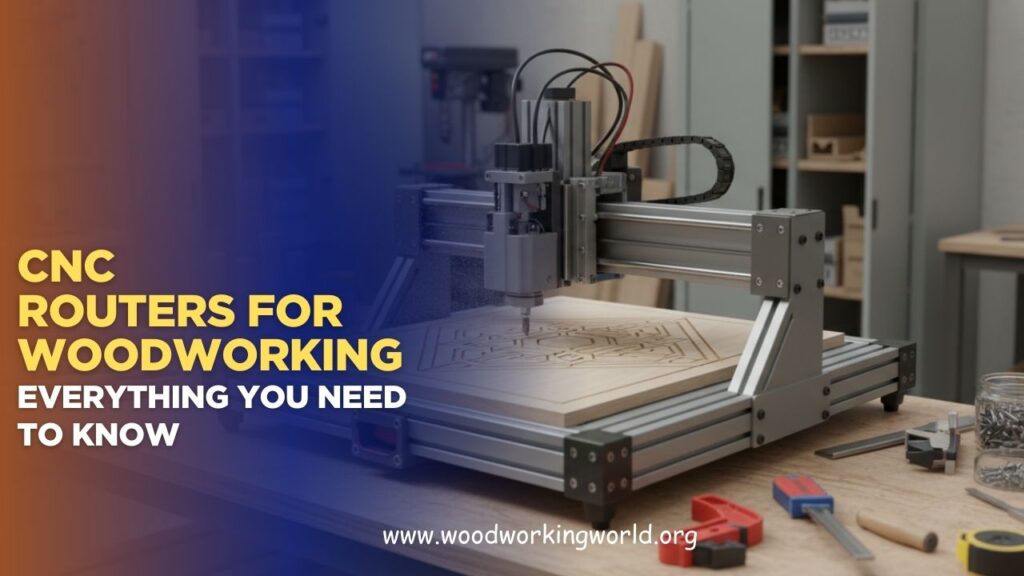
A CNC (Computer Numerical Control) router is a computer-controlled machine that moves a cutting tool along multiple axes to shape wood, plastics, or soft metals.
How It Works:
- Design Phase: A design is created using CAD (Computer-Aided Design) software.
- Programming Phase: CAD designs are converted to G-code using CAM (Computer-Aided Manufacturing) software.
- Cutting Phase: Stepper or servo motors move the router along X, Y, and Z axes, precisely following the G-code instructions.
- Finishing Phase: The router cuts, carves, or engraves the material according to the design specifications.
Pro Tip: Understanding the workflow from CAD design to finished product is critical to using a CNC router effectively.
Types of CNC Routers
Choosing the right CNC router depends on your skill level, project size, and budget.
1. Desktop/Compact CNC Routers
- Perfect for hobbyists or small-scale projects
- Handles softwoods, plywood, and MDF
- Affordable and space-efficient
2. Mid-Size CNC Routers
- Ideal for cabinetry, small furniture, and detailed panels
- Can cut larger sheets of plywood or MDF
- Often includes automatic tool changers
3. Industrial/Professional CNC Routers
- Designed for large-scale production
- High-speed spindles and multi-axis capability
- Handles hardwoods and dense materials with precision
Pro Tip: Beginners should start with a 3-axis desktop router before investing in larger, complex machines.
Essential Features to Look For
When selecting a CNC router, focus on these key features:
- Work Area: Must accommodate your project dimensions.
- Spindle Power: Higher wattage handles harder wood more efficiently.
- Number of Axes: 3-axis is standard; 4-5 axes allow more complex designs.
- Software Compatibility: Ensure your CAD/CAM software integrates with your machine.
- Build Quality: Steel frames and precision linear guides improve stability.
- Dust Collection: Keeps the workspace clean and extends machine life.
Pro Tip: Don’t overspend on features you won’t use. Start with essentials and upgrade as needed.
CNC Router Bits for Woodworking
The right bit determines cut quality, speed, and finish:
- Straight bits: For general cutting and slotting
- V-bits: Perfect for engraving and decorative lettering
- Ball nose bits: Ideal for 3D contours
- Flush trim bits: Great for laminate and edge trimming
- Spiral bits: Provides clean cuts in plywood or MDF
Pro Tip: Use sharp, high-quality bits and replace them regularly for the best results.
Safety Considerations
CNC routers are powerful and require proper safety precautions:
✅ Wear hearing protection and safety glasses
✅ Keep the workspace clean and free of loose materials
✅ Secure workpieces firmly with clamps or vacuum tables
✅ Avoid reaching near the cutting area while the machine runs
✅ Use dust collection or proper ventilation to prevent buildup
Pro Tip: Always run a test cut on scrap wood to confirm settings before starting a real project.
Tips for Beginners
- Start Small: Begin with signage or small decorative pieces.
- Learn the Software: CAD/CAM skills are essential for accurate results.
- Test Toolpaths: Understand how the router moves before cutting valuable material.
- Check Feeds and Speeds: Too fast or too slow can burn wood or ruin the cut.
- Document Settings: Keep track of bit type, feed rate, spindle speed, and material for repeatable results.
Popular CNC Projects
- Custom Furniture: Table tops, cabinet doors, chair backs
- Decorative Panels: Wall art, intricate carvings, geometric patterns
- Sign Making: Personalized wooden signs and plaques
- Inlays: Multi-wood or multi-material accents
- Boxes and Storage: Precision-crafted keepsake or tool boxes
Pro Tip: CNC routers excel at repeating patterns perfectly, saving time on multiple identical pieces.
Common Mistakes to Avoid
❌ Using dull or incorrect bits
❌ Overestimating machine speed — can cause burns or chatter
❌ Ignoring material properties (softwood vs. hardwood)
❌ Inadequate clamping or workholding
❌ Skipping software simulation before cutting
Avoiding these mistakes ensures professional-quality results.
Maintenance Tips
- Clean dust and debris after each use
- Lubricate linear rails and screws periodically
- Check belts and pulleys for wear
- Inspect electrical connections regularly
- Store bits properly to prevent dulling
Pro Tip: A well-maintained machine produces consistently accurate cuts and lasts longer.
🛠️ Ted’s 16,000 Woodworking Plans – Why You’ll Love It


CNC Router vs. Traditional Woodworking
| Feature | CNC Router | Traditional Hand Tools |
|---|---|---|
| Precision | Millimeter-level | Skilled-dependent |
| Repeatability | Identical cuts every time | Hard to replicate |
| Complexity | 3D carving and intricate designs | Limited by manual skill |
| Time Efficiency | Fast for repeated parts | Slower for intricate work |
| Learning Curve | CAD/CAM required | Intuitive for experienced woodworkers |
CNC routers enhance traditional woodworking, allowing creative possibilities and efficiency that manual tools cannot match.
FAQs
1. Can CNC routers cut hardwoods?
Yes, but higher spindle power and sharp bits are required.
2. Do I need a separate computer?
Most machines need a controller or computer compatible with CAD/CAM software.
3. Are CNC routers noisy?
Yes, hearing protection is recommended.
4. How much space is needed?
Desktop routers need a few square feet; industrial machines require dedicated workshop space.
5. Are CNC routers beginner-friendly?
Yes, with proper training, desktop routers are ideal for hobbyists and small-scale projects.
👉 CLICK HERE to Unlock 16,000+ DIY woodworking plans now
Final Verdict
CNC routers offer precision, efficiency, and creative freedom unmatched by traditional tools. They’re perfect for woodworkers who want to:
✔ Tackle intricate designs and 3D carvings
✔ Produce repeatable, professional-quality pieces
✔ Expand into custom furniture, signage, or decorative woodworking
Bottom line: Start with a small, 3-axis desktop CNC router to learn CAD/CAM and tool operation. As your skills grow, upgrade to larger, multi-axis machines for complex projects.
Pro Tip: Pair your CNC router with comprehensive woodworking plans to maximize accuracy, creativity, and efficiency in every project.
👉 CLICK HERE to Unlock 16,000+ DIY woodworking plans now